
BSL and SSL Explained: ICT Liquidity Basics
ICT Chart Notes, Lesson 01: understand buy-side and sell-side liquidity by looking at the orders traders may place around old highs and lows.

You mark an old high on your chart. Someone calls the area above it “buy-side liquidity.” But why buy-side? Aren’t traders looking to sell at resistance?
The name makes more sense when you think about the orders that can be triggered there. A trader closing a short position needs to buy. A trader entering a breakout to the upside also needs to buy. Different intentions, same order direction.
This first lesson explains BSL and SSL, the two abbreviations you will see throughout our ICT Chart Notes series.
What do BSL and SSL stand for?
- BSL = Buy-Side Liquidity. In this framework, traders use the term for potential buy-stop areas above old highs.
- SSL = Sell-Side Liquidity. Traders use this term for potential sell-stop areas below old lows.
These terms are widely used in ICT (The Inner Circle Trader) teaching and in trading discussions described as SMC (Smart Money Concepts). This series uses the ICT chart-reading vocabulary. SMC is a broader label used by different educators; it does not mean every explanation or trading rule is identical.
Here, “liquidity” is shorthand for areas where orders may be triggered. A candlestick chart does not reveal how many stops are there. It also does not tell you who placed them or why.
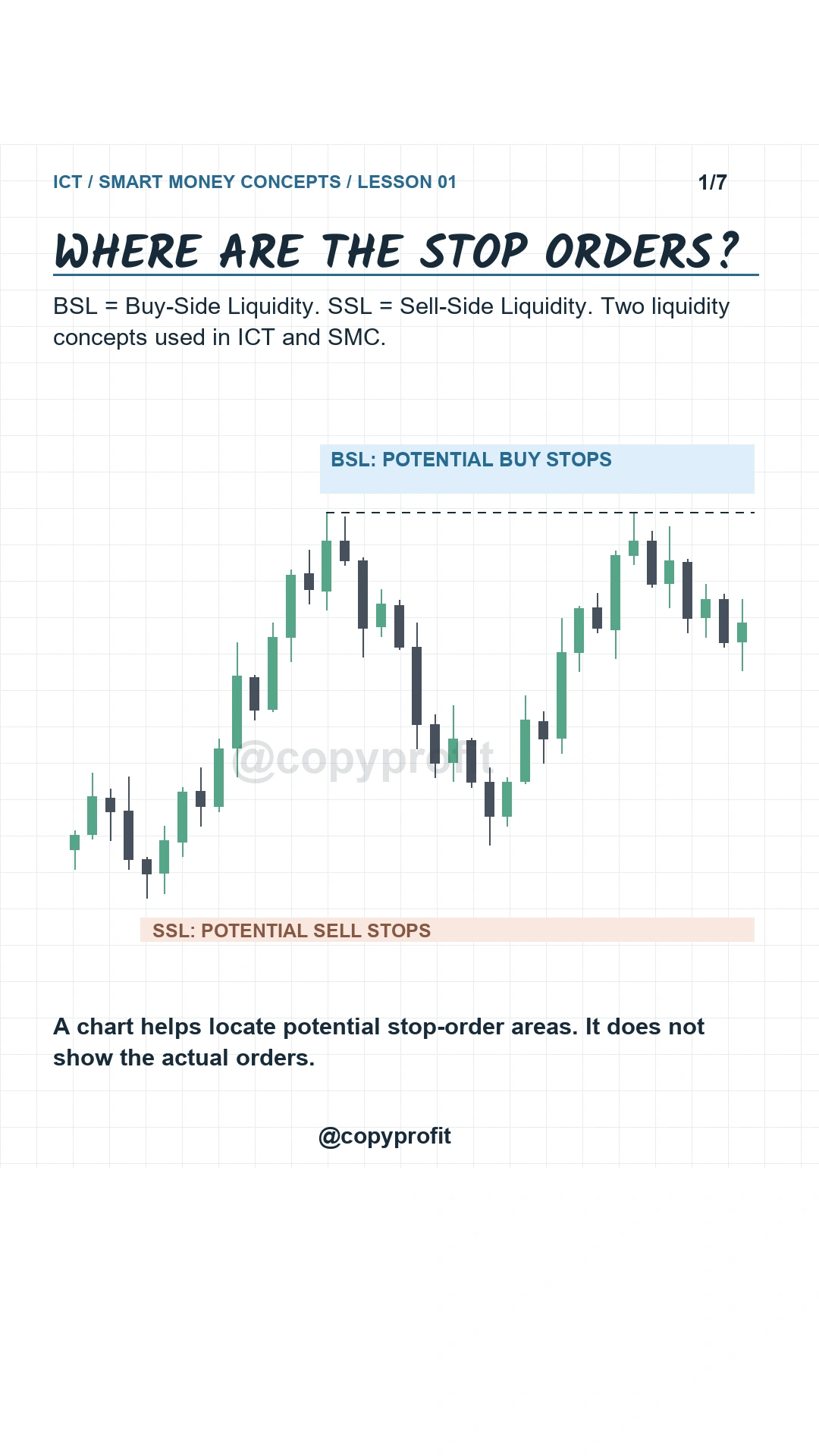
Lesson overview: BSL means Buy-Side Liquidity; SSL means Sell-Side Liquidity.
How to mark BSL and SSL on a chart
- Find a clear swing. Look for a high followed by a move lower, or a low followed by a move higher.
- Mark the wick extreme. Keep the actual high or low as your reference rather than moving the line to fit a later candle.
- Mark the area beyond it. Potential BSL sits above the high. Potential SSL sits below the low.
- Watch what happens when price returns. Record whether price moves back inside the level or continues beyond it.
Similar highs or lows can make a level stand out, but perfectly equal peaks are not required. For your first practice chart, choose one obvious high and one obvious low. Avoid marking every small fluctuation.
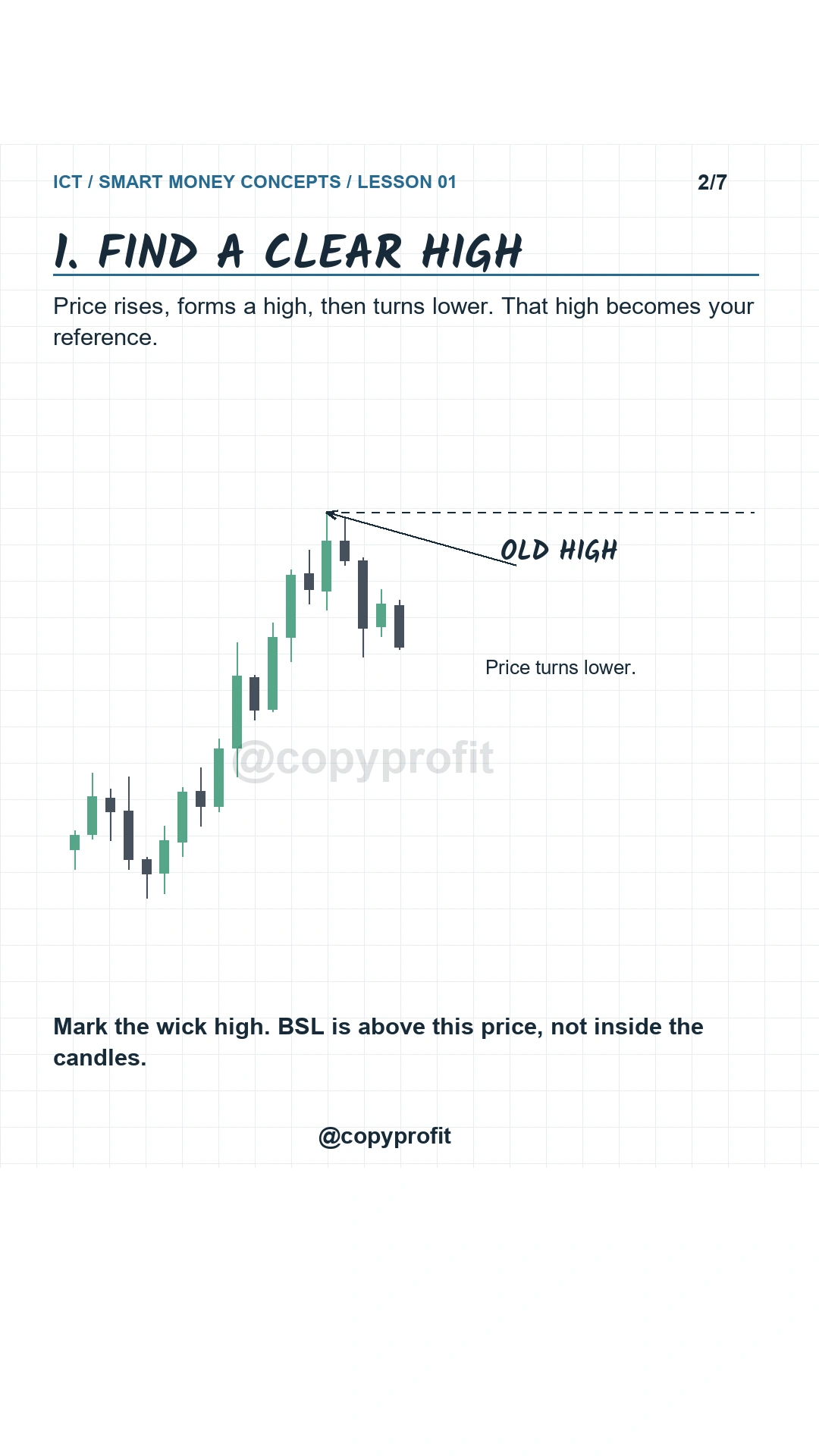
Step 1: find a clear high and mark the wick extreme.
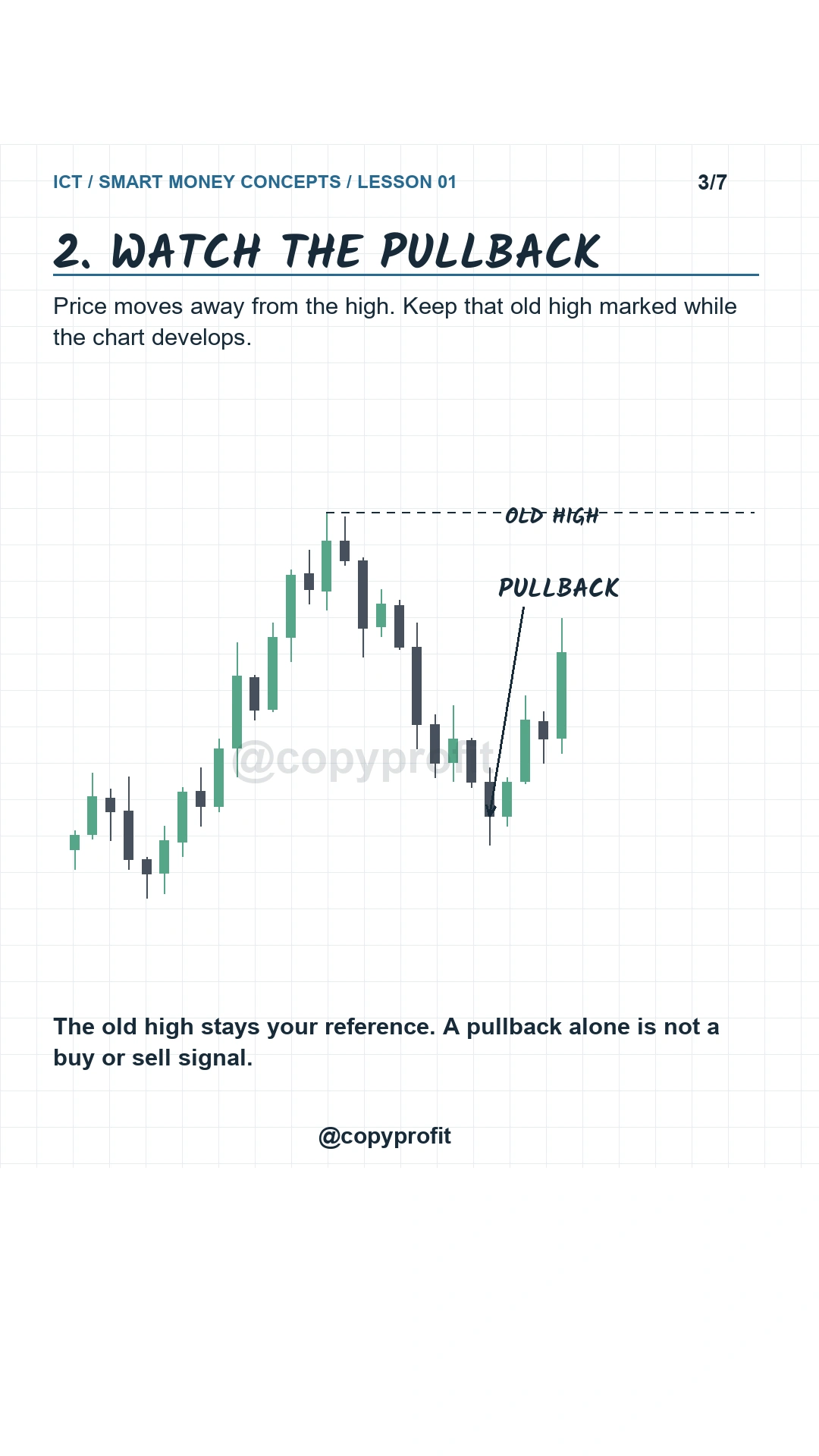
Step 2: keep the old high marked while price moves away from it.
Why is buy-side liquidity above a high?
Look at the chart below. Price rises, forms a clear high, then pulls back. The dashed line marks that old wick high. The blue area above it represents potential buy stops.
1. Short traders may buy to exit
A short trader benefits if price falls. If price rises instead, that trader may use a stop above a recent high to limit the loss. Closing the short requires a buy order. That is why a short stop loss can contribute to the buy-side area.
2. Breakout traders may buy to enter
Another trader may want to enter long only after price breaks above that same high. A buy-stop entry can be placed above the level. If triggered, its direction is also a buy, even though this trader is opening a position rather than closing one.
The chart groups these two ideas as short stop loss + breakout buy. The important distinction is the order direction. BSL does not mean the traders above the high are all bullish.
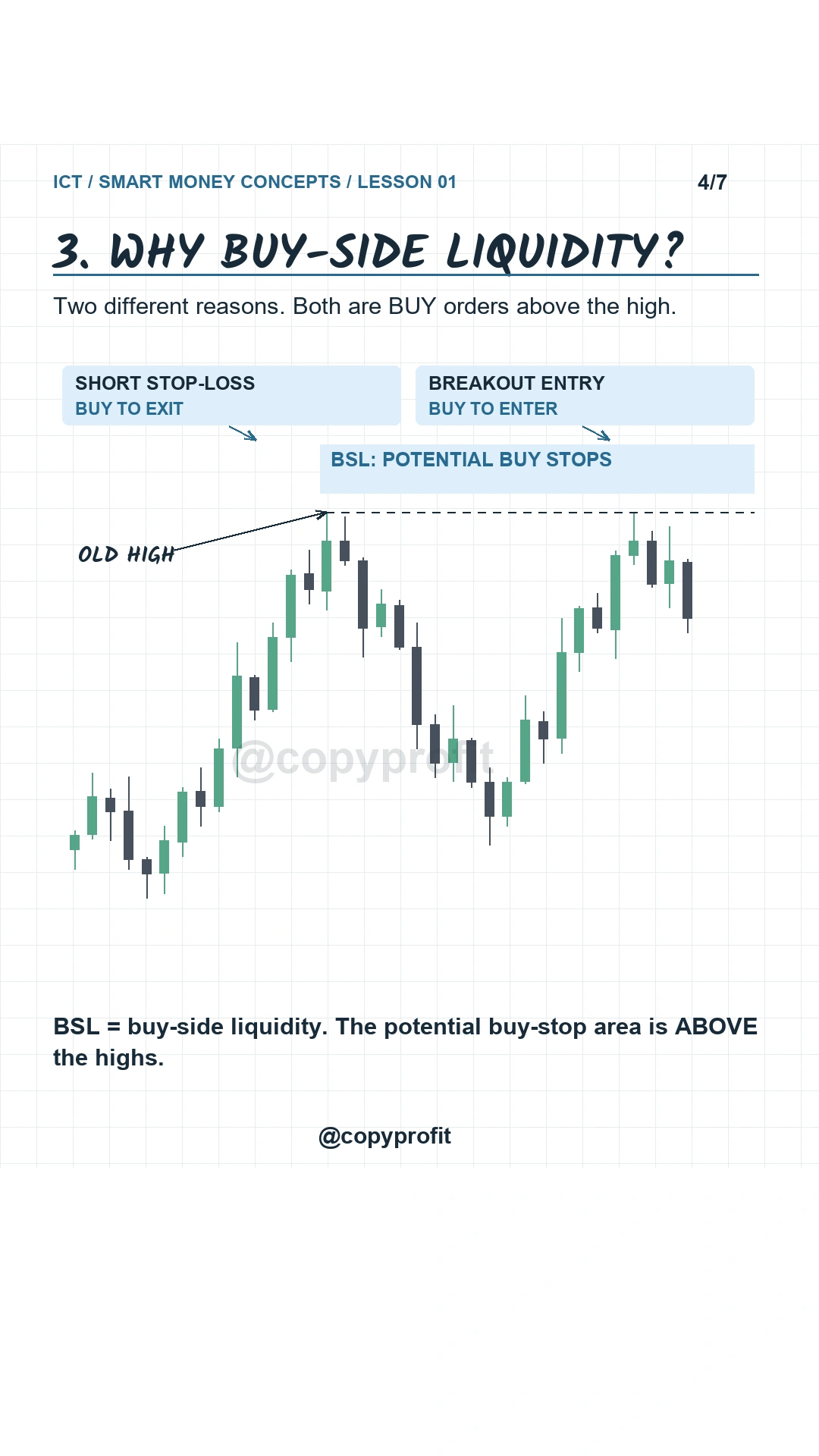
Step 3: short exits and upside breakout entries can both use buy stops.
A liquidity level does not choose the next direction
Price trading above an old high does not automatically mean it will reverse. It may move back below the level, or it may hold above it and continue higher. The same uncertainty applies below a low.
This is why identifying BSL or SSL is only the first part of reading the chart. The next question is how price behaves after reaching that area. In Lesson 02, we examine the difference between a liquidity sweep and a breakout.
Stop orders also have execution rules. CME explains that a stop order must be triggered before it becomes an active limit order or an order with protection, depending on its type. The trigger price and the eventual fill are different concepts. See CME’s guide to futures order types.
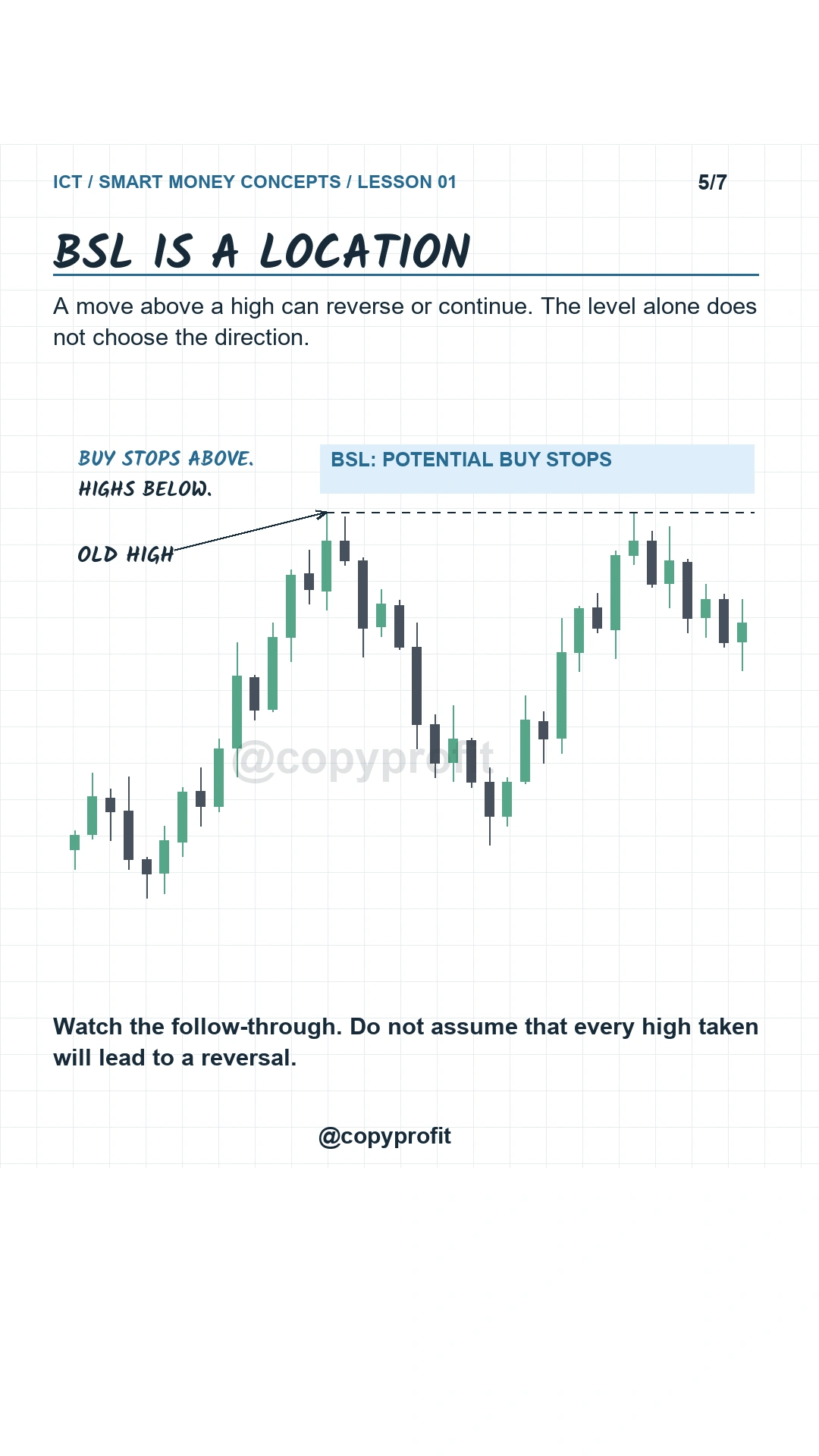
A BSL level identifies a location; it does not determine the next direction.
Why is sell-side liquidity below a low?
The next chart shows the opposite arrangement. Price forms a clear low and moves away from it. The dashed line marks the old wick low; the shaded area underneath represents potential sell stops.
A trader holding a long position may place a protective stop below that low. Closing the long requires a sell order. Meanwhile, a downside breakout trader may use a sell-stop entry below the same level to open a short.
That gives us long stop loss + breakout sell. One trader is exiting, the other is entering, but both orders are sells.
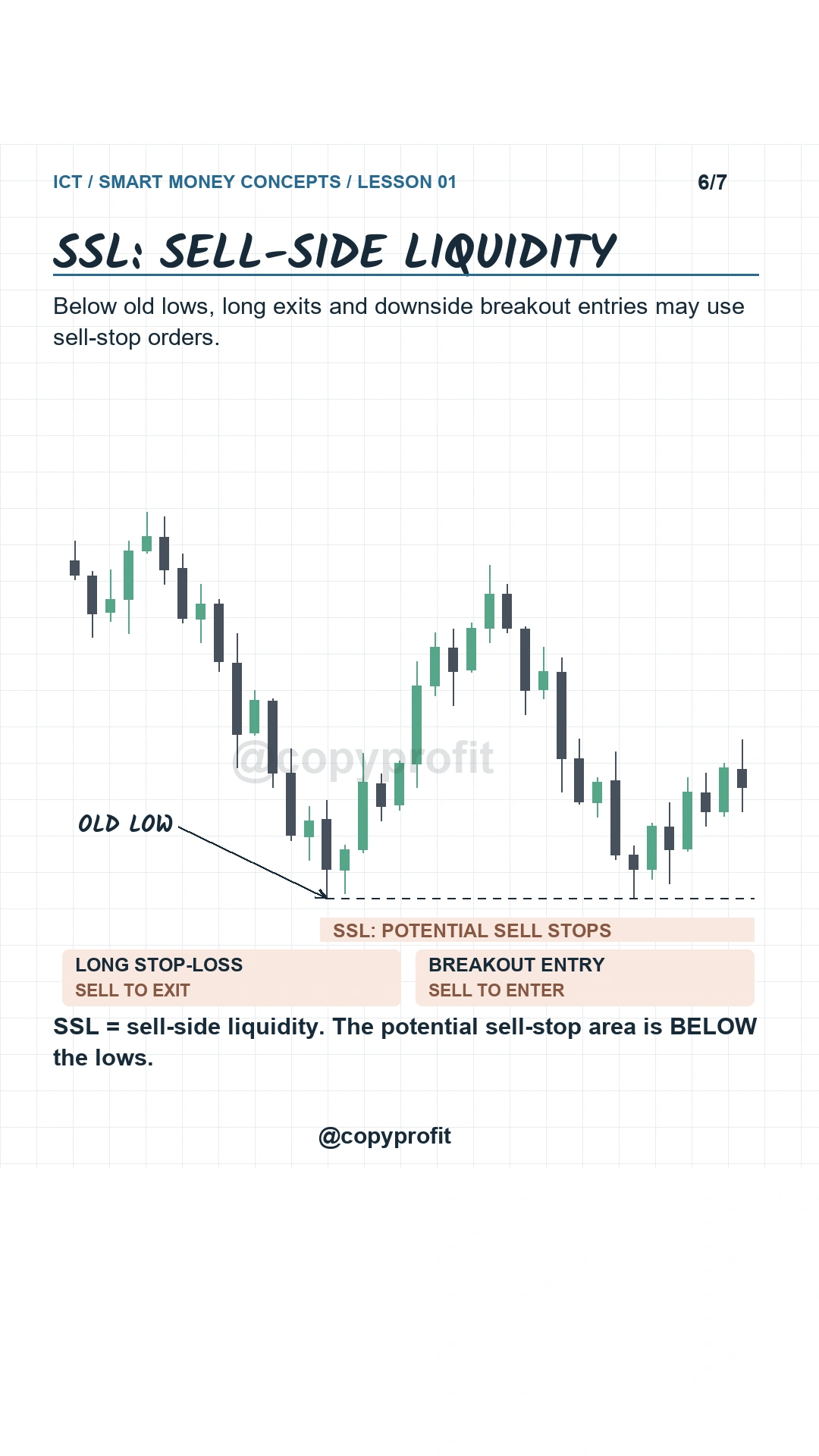
SSL is the opposite arrangement: potential sell stops below old lows.
Try this on your next chart review
Pause the chart before price revisits a previous high or low. Mark the level, label the potential stop-order area, and write down which traders might be buying or selling there. Then advance the chart and observe the result.
Your goal in this lesson is to explain the labels correctly: buy stops above highs; sell stops below lows. Save the question of entries for a separate review of structure, follow-through, and risk.
For background on why traders watch previous highs and lows, read CME’s introduction to support and resistance. For the original ICT educational material, visit The Inner Circle Trader’s channel.
Using multiple NinjaTrader accounts?
CopyProfit is a trade copier for NinjaTrader 8 that copies orders from a lead account to the accounts you select. It handles order copying; you choose the trading setup and manage the risk. Learn how to connect your accounts in the CopyProfit setup guide.